1
Scan first
See what Skuvra found before anything is removed, paused, updated, or changed.
A free Windows cleanup utility for PC maintenance that scans first, explains plainly, and lets you decide what changes.
Early Windows preview. The app is unsigned for now, so Windows may ask you to confirm that you want to run it.
Skuvra avoids scare tactics. It shows useful Windows cleanup information, explains what matters, and keeps high-impact actions separate from everyday PC maintenance.
See what Skuvra found before anything is removed, paused, updated, or changed.
Startup apps, browser data, duplicate files, and cleanup results are written for normal people.
Registry fixes, free-space wiping, updates, and process actions stay manual and clearly confirmed.
These are rendered screenshots from the current Skuvra interface with sample data, so visitors can understand the app before downloading anything.
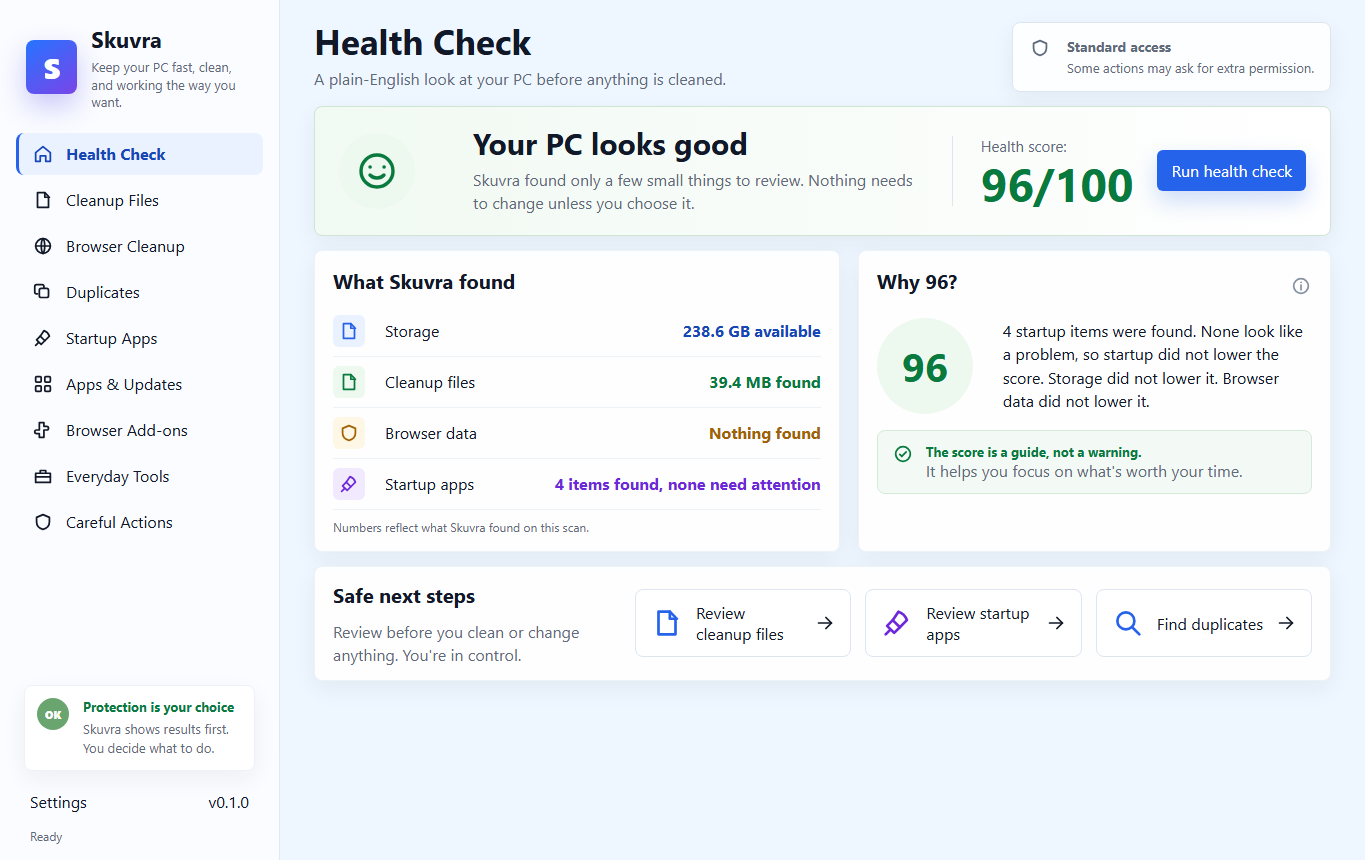
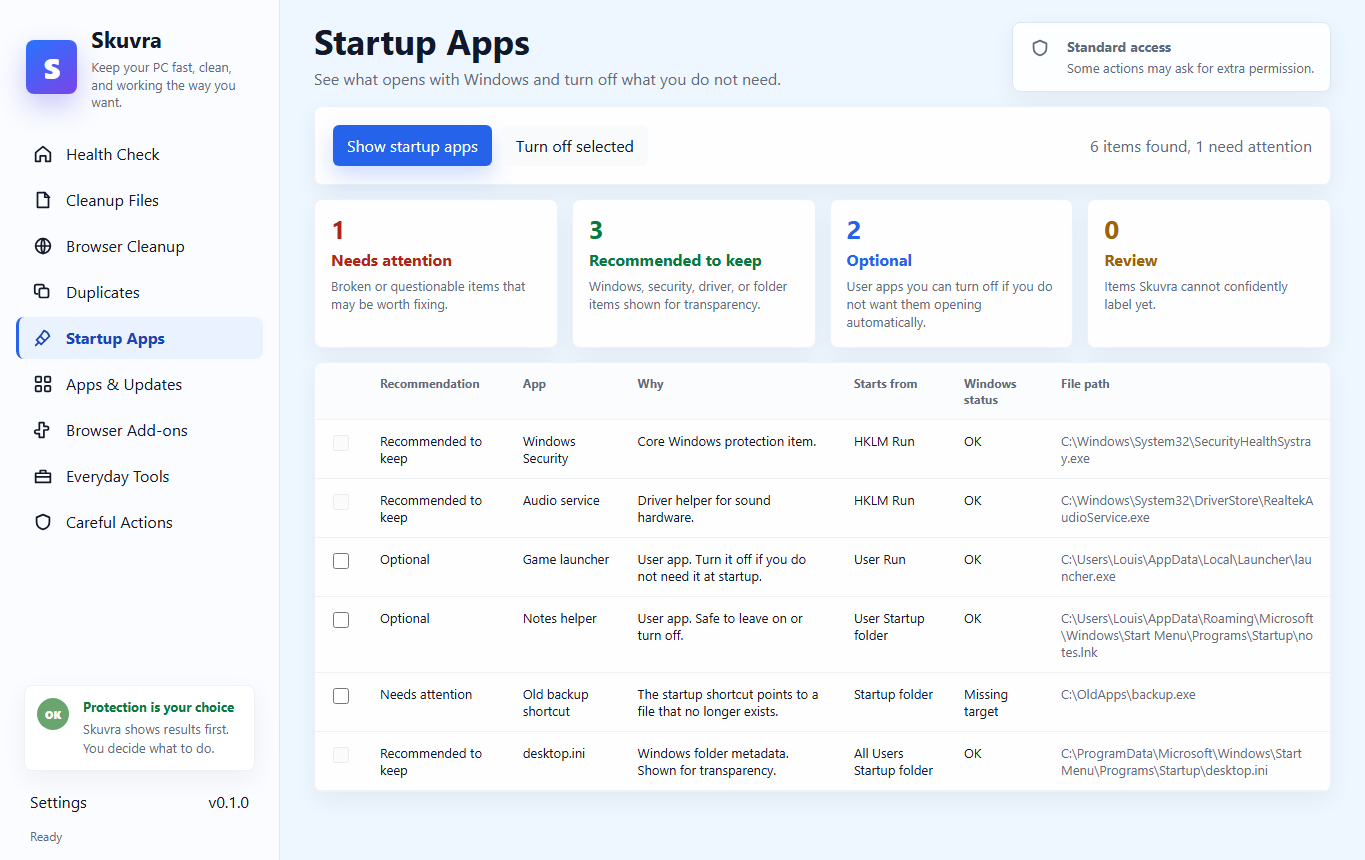
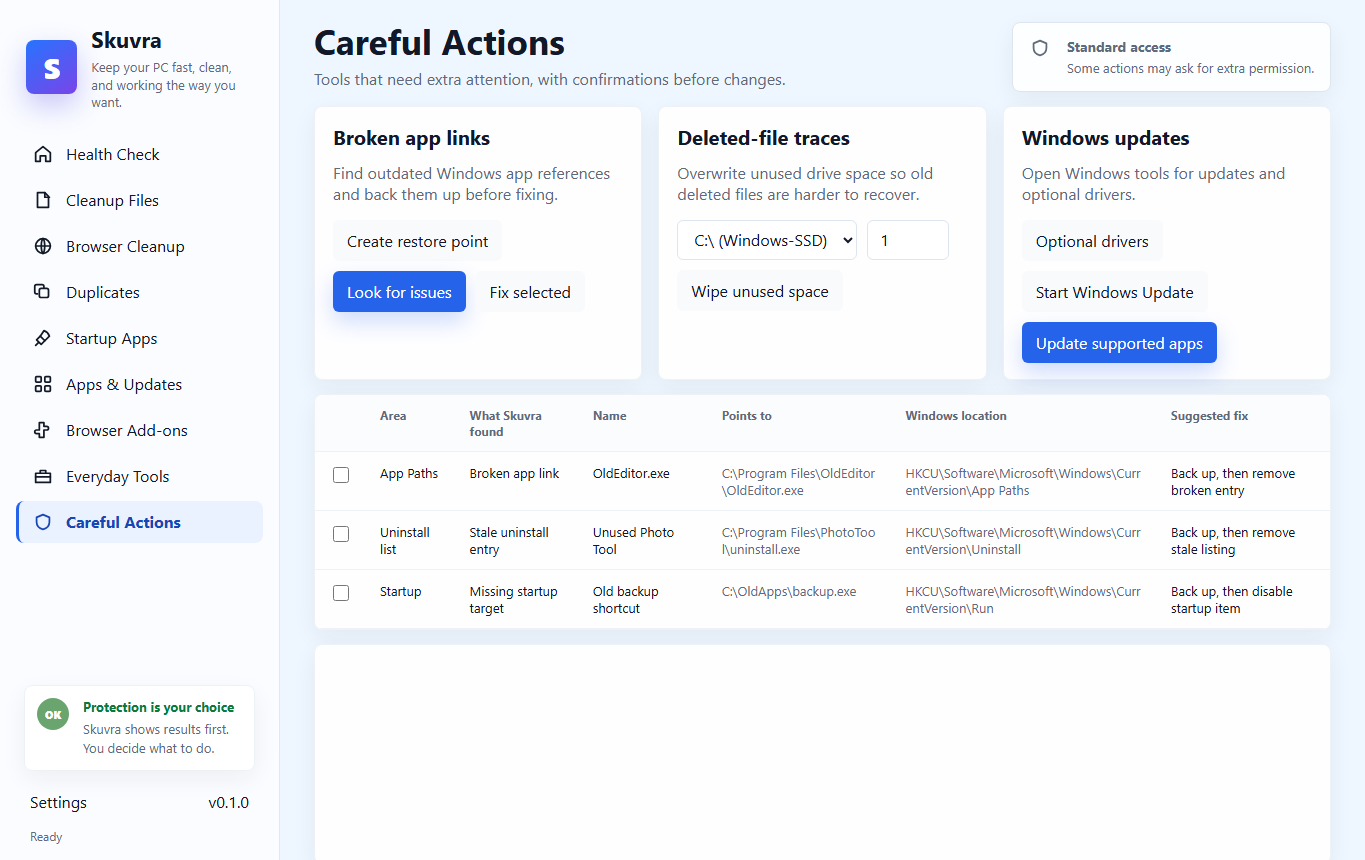
Skuvra is built for common Windows maintenance: junk file cleanup, startup app review, browser cleanup, duplicate file checks, and careful tools when you need them.
Review temp files, Windows error reports, thumbnails, logs, and other safe cleanup candidates.
Find browser cache, cookies, history, download lists, and saved form data before choosing what to clear.
Group identical files by hash so you can remove extra copies while keeping at least one original.
Show what opens with Windows without pretending Microsoft security, drivers, or core services are problems.
Open official uninstallers, check outdated apps through winget, and keep updates manual and visible.
Registry repair, free-space wiping, process actions, and driver/update flows require extra confirmation.
Skuvra is free Windows preview software from the official download on this site. Source access can be shared separately for transparency, privacy, or security review; please ask before sharing modified builds or using Skuvra commercially.
Download the current Windows preview directly from this site. The app is still early, but the goal is simple: make PC cleanup more understandable and less dramatic.
The app is designed around review and choice, so cleanup does not feel like a black box.
Run a health check or jump straight into a specific area like cleanup files or startup apps.
Read what was found in everyday language, with Windows essentials clearly marked as keep items.
Clean selected items, leave others alone, and confirm careful actions before they run.
Skuvra is a small, independent Windows utility. Use the official download button for the current Windows build.